Looking for a Babywise App? A Practical Feed → Wake → Sleep Tracker Guide
What a Babywise app can help you track, how to use predictions without following a rigid clock, and what to know about this independent iPhone companion.
If you searched for a Babywise app, you may be looking for something more specific than a general baby log. You probably want one place to follow a Feed → Wake → Sleep rhythm, remember what happened during a tired night, and understand what may come next without rebuilding the day on paper.
Babywise App is an independently developed iPhone tracker built for that purpose. It is a companion for organizing your own observations, not an official version of the books, a medical tool, or a substitute for your baby's cues and your healthcare professional's guidance.
What a Feed → Wake → Sleep tracker should do
At its simplest, the app should record when a feed begins and ends, when your baby wakes, and when a nap or night sleep starts. Putting those events on one timeline makes it easier to answer everyday questions such as how long baby has been awake, which breast was used last, or whether a short nap changed the rest of the afternoon.
The useful part is not collecting the largest possible amount of data. It is reducing the mental work of remembering the day and helping another caregiver understand it quickly.
Use the app alongside the method, not instead of learning it
An app can keep time and surface patterns, but it cannot teach every principle in a book or decide what is appropriate for an individual baby. Read the source material you choose, discuss feeding and sleep questions with qualified professionals, and use the tracker to record what your own baby actually does.
Babywise App does not reproduce book schedules or tell you that every day must look the same. It focuses on the sequence of the day and the recent history you entered.
Treat predictions as reminders to observe
A predicted next feed or sleep can be convenient when the day is busy, but it is not an instruction. Babies do not read countdowns. If your baby shows hunger, tiredness, illness, or another need, respond to your baby rather than waiting for a suggested time.
The CDC notes that babies show hunger and fullness through movements and sounds, and that crying can be a late hunger cue. Predictions are most useful when they prompt you to look more closely, not when they replace those cues.
What Babywise App includes
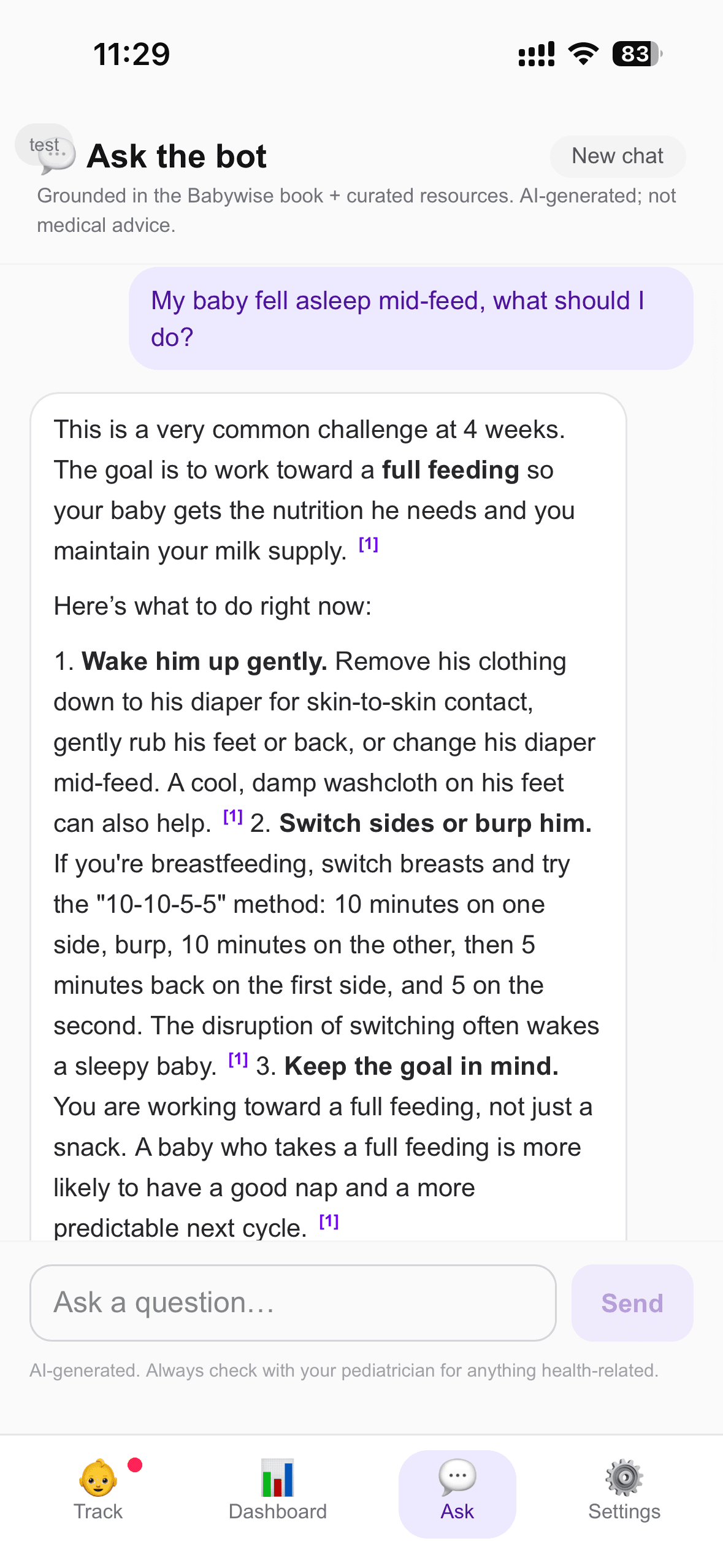
The app combines feeds, wake time, naps, nighttime sleep, diapers, and weight on one timeline. It includes separate accounts for two caregivers, corrections for missed or inaccurate entries, a dashboard for recent patterns, CSV export, and age-aware suggestions about what may come next.
There is also an optional AI companion that can use the recent log to help you think through routine questions. Its responses are general information, not medical advice. Feeding, health, safety, and development concerns belong with your pediatrician or another qualified healthcare professional.
A simple way to begin
For the first few days, log only feeds and sleep. Add diaper or weight entries only if they are genuinely useful to you or your care team. Invite your partner or another regular caregiver once you are comfortable with the basic timeline.
At the end of the day, look for one broad pattern instead of judging every event. The app is doing its job if it helps you feel more oriented and makes handoffs easier. If tracking increases anxiety, record less or pause it.
Who made it and what 'Babywise' means here
I am Seraphine Hauville, a mom-to-be who built Babywise App while preparing to use a Feed → Wake → Sleep approach with my own baby. The app is free to download on iPhone, and early feedback directly shapes what I improve next.
Babywise App is independently developed. It is not affiliated with, endorsed by, or sponsored by the authors or publishers of the Babywise books. The name describes the audience and routine the app was designed to support; it does not imply an official partnership.