Choosing a Baby Tracker for Two Parents: 7 Features That Actually Matter
How to choose a shared baby tracker that works during real caregiver handoffs, including separate accounts, live syncing, corrections, and exports.
A shared baby tracker is not really about collecting more data. It is about removing questions during handoffs: When did the last feed finish? How long has the baby been awake? Did someone already log that diaper?
The best app for two parents should be fast enough to use one-handed and clear enough that the person taking over can understand the day without asking for a recap.
1. Separate accounts connected to one baby
Avoid apps that require both caregivers to share one email address and password. Separate accounts are easier to secure, make account recovery less confusing, and allow each person to control notifications on their own phone.
Connecting both accounts to one baby also means the family record can continue if a device is replaced or one caregiver signs out.
2. A live timeline, not a nightly summary
The main screen should answer the immediate question in seconds. Look for the baby's current state, the most recent feed and sleep, and elapsed time since the event began. Updates should appear for the other caregiver without manual refreshes or file sharing.
3. Easy corrections
Sleep-deprived people tap the wrong button, forget to end a timer, and remember a feed twenty minutes later. A useful tracker lets either caregiver add a past event and correct start or finish times without breaking the rest of the day.
4. Useful feeding details without clutter
Breastfeeding parents may want left and right side tracking. Bottle-feeding families may care more about amount and duration. Choose an app where the details you use are easy to reach and the details you do not use stay out of the way.
5. Predictions that explain themselves
A predicted nap or feed can be helpful, but it should remain a suggestion. The app should show what happened recently and make it clear that your baby's cues, health, and individual needs come first. Avoid treating a countdown as a command.
6. A useful weekly view
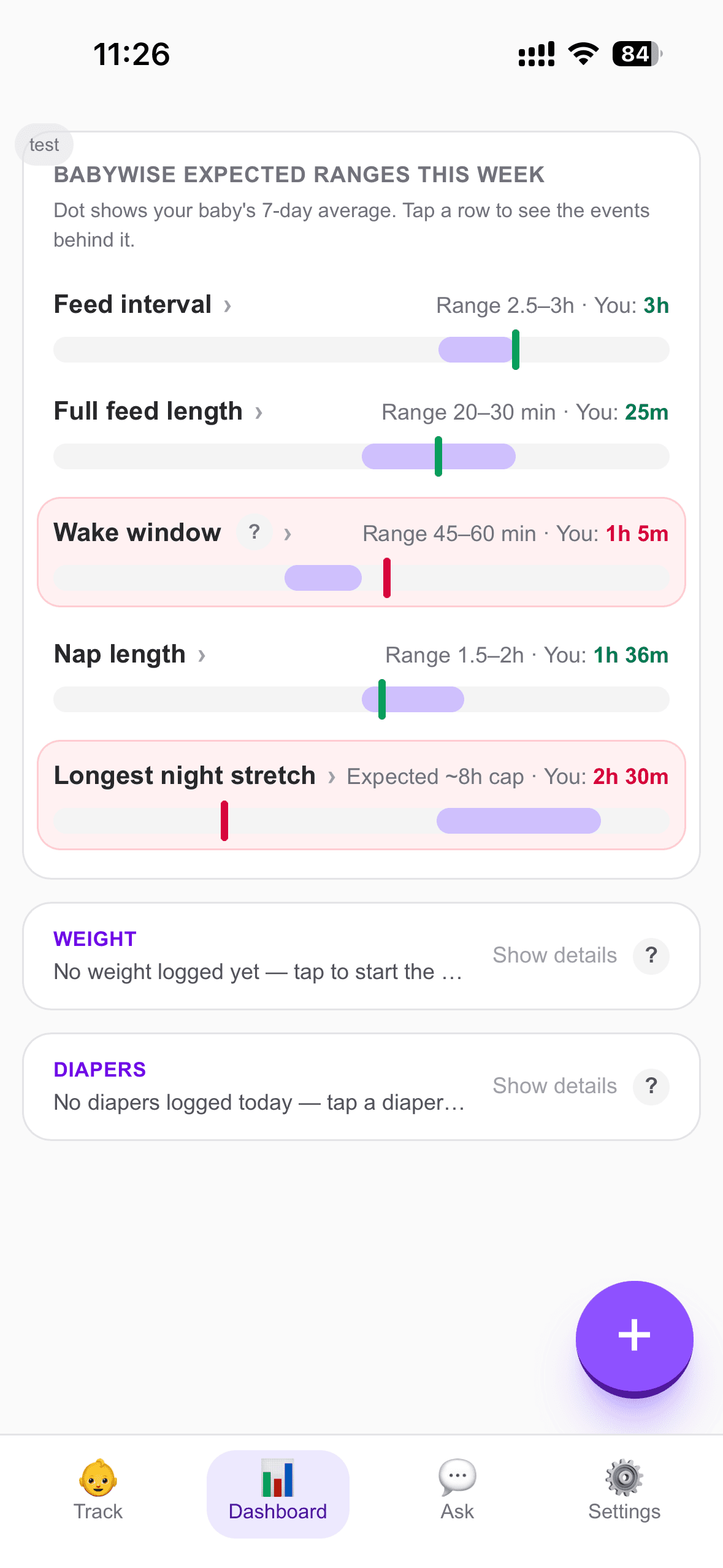
Daily timelines are good for handoffs. A weekly view is better for seeing whether wake windows are changing, naps are shortening, or nights are gradually consolidating. Look for summaries that still let you open the events behind an average, because an average alone can hide a very unusual day.
7. Data you can take with you
You should be able to export your history in a common format. Even if you never use the export, it gives your family a practical way to keep a copy, review information outside the app, or move on later without losing the record.
Babywise App includes separate parent accounts, a shared Feed → Wake → Sleep timeline, corrections, age-aware next-event suggestions, weekly dashboard ranges, and CSV export. It is free to download on iPhone.